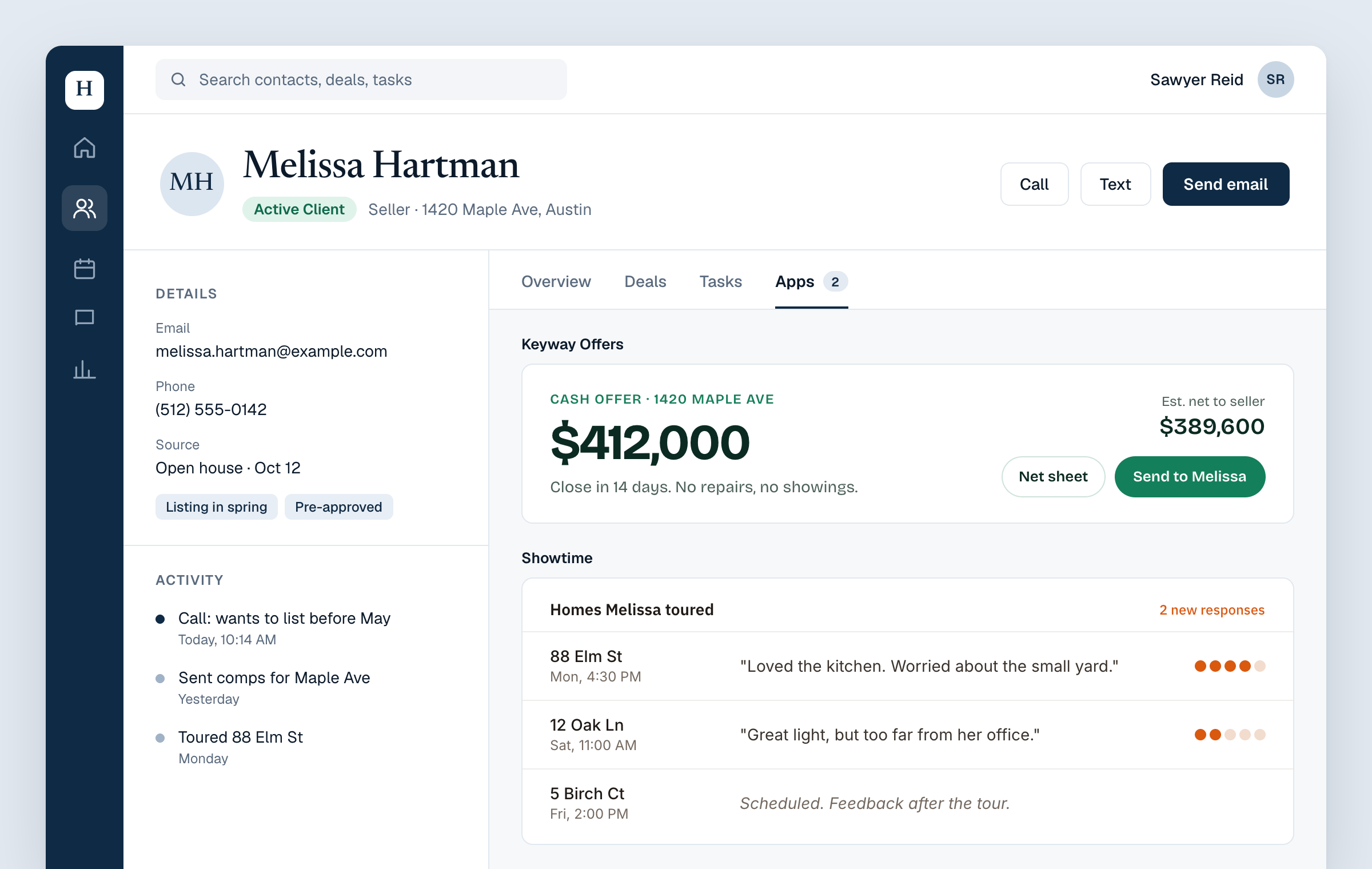
A contact page with the Apps tab highlighted, showing two apps.

mountEmbeddedApps() fills the element you give it with the user's apps, stacked, each under its name.

Load the library

The library is plain JavaScript with no dependencies, loaded as a module. It’s served at a stable URL and updated by Rollout, so you get fixes without redeploying.

Mount the apps

Pick the element the apps should fill, such as the body of an Apps tab, and mount them there for the contact on screen:
Each enabled app is shown under its name, stacked, and each app’s frame takes the height its app reports. An app is shown only after its page answers Rollout’s handshake, so an app that fails to load never leaves an empty box. The apps render in an iframe from Rollout’s origin, inside a shadow root, so your page’s styles don’t reach it.

Options

Handle methods

Your page’s Content Security Policy

If your pages send a Content-Security-Policy, allow Rollout’s origin for the library, the Rollout frame, the marketplace’s requests and the app icons, which Rollout hosts:
Your page loads nothing from a publisher’s servers. The apps load inside the Rollout frame, so your policy doesn’t need to list them.

Next

Add the marketplace, so users can turn apps on.